Twitch clip player for OBS
Take a break.
Let your Twitch
clips play.
Turn your Twitch highlights into a BRB or Starting Soon screen. Choose your clips, save your overlay, and add it as a browser source in OBS.
A permanent Free plan. Upgrade when you need more control.
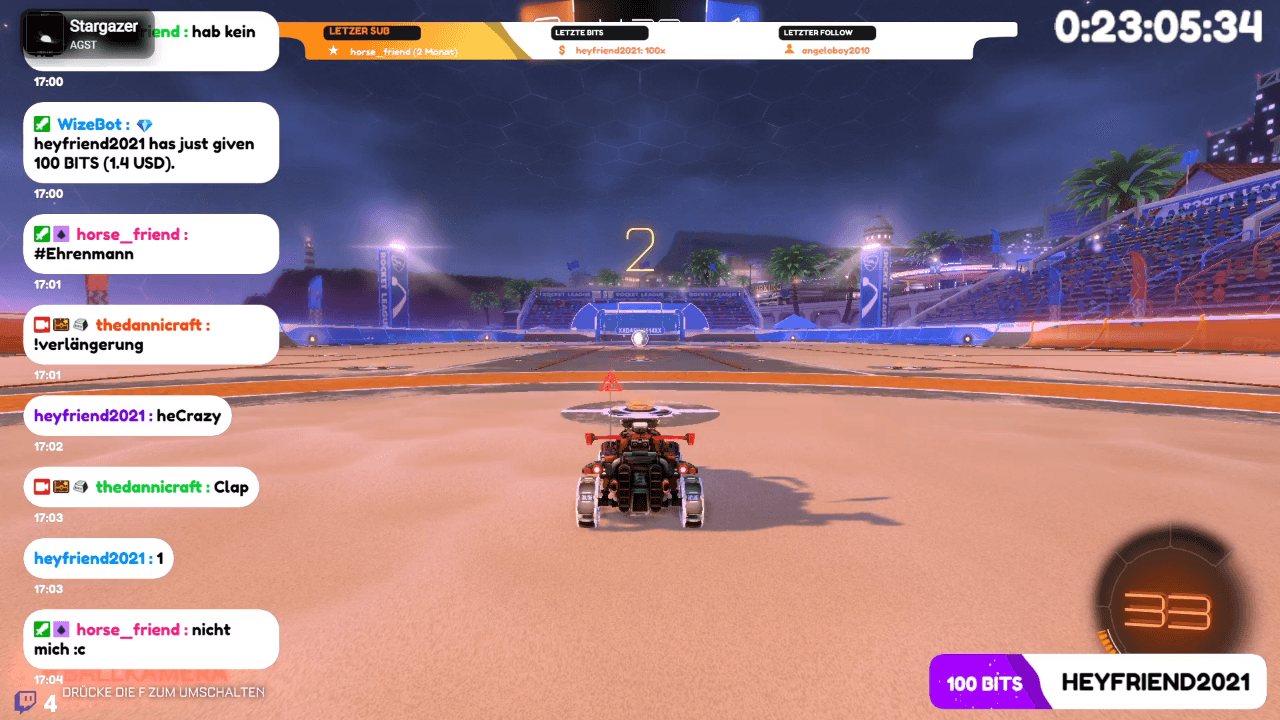
Actual Clipify playback
Your highlights. Still on stream.
A real clip playing in an example BRB scene.
From highlights to your next break
Your clips. One browser source.
Set up your player in Clipify. Bring it into the scenes you already use in OBS, Streamlabs, or other software with browser sources.
- 01
Connect Twitch
Sign in with Twitch to set up your Clipify account and manage your clips.
- 02
Choose what plays
Pick your clips, create a playlist, and save an overlay for your break scene.
- 03
Add it to OBS
Copy your overlay URL into a browser source. Switch to your BRB scene and let your clips play.
More than a play button
A break screen that feels like your stream.
Keep your clip selection, scene styling, and playback controls together. Save your setup so it is there for your next stream.
Choose what plays
Handpick a playlist or select clips with filters. Keep the highlights you want on screen.
- Free: one playlist with up to 50 clips
- Pro: unlimited playlists and advanced filters
- Pro: Top and Smart Shuffle playback
Make it fit your stream
Use your overlay in a BRB or Starting Soon scene. With Pro, shape its look in Theme Studio.
- Free: one saved overlay for your scenes
- Pro: custom layouts, colors, and fonts
- Pro: timers and progress styling
Stay in control
Pro puts playback controls within reach, and lets trusted teammates help manage your setup.
- Pro: pause, skip, and mute remotely
- Pro: chat commands and channel points
- Pro: editor and manager access
Clips beyond your break scene. Share a Creator Page, publish a gallery, or broadcast from your own computer with Runner. Runner is included with Free and Pro; your computer needs to stay online.
Explore all featuresStart free. Make it yours.
Your first break screen is on us.
Free gives you one overlay and a playlist of up to 50 clips. Pro adds more room, custom styling, playback controls, and collaboration.
Your clip library has no clip-count limit. The Free limit applies to the clips saved in a playlist.
Free
Everything you need to get your clips on stream and online.
Free
- Unlimited Twitch clips
- One overlay and one 50-clip playlist
- One branded website gallery
- A shareable Creator Page
- Basic website Clip Player
- Manual Runner with unlimited hours
Pro
Advanced control, customization, and insights for serious creators.
€20.00/per year
- Unlimited overlays, playlists, and galleries
- Advanced filters and playback modes
- Theme Studio and website customization
- Remote controls, chat, and channel points
- Editors and managers
- Creator analytics, exports, and advanced Runner
Your subscription directly supports an independent developer building Clipify.
Agency or enterprise?
Manage multiple independent creators, team permissions, and centrally assigned Pro seats with custom commercial terms.
Before your next stream
A few things you might be wondering.
Need a hand with your setup? Our help center walks you through the details.
Visit the help centerYour next break, covered
Step away. Keep the highlights rolling.
Build a break screen with the clips that make your channel yours.
Start free with TwitchStart on Free. Upgrade only when you choose.